





Is the work stuck, or just quiet?
UnflowLoop follows your engineers’ work in GitHub and tells each person, in Slack or Microsoft Teams, what’s waiting on them. You see how fast work really moves, and clients get a status report built from the work itself. We built it for our own engineering team.
What changes for your team.
Less chasing, and numbers nobody had to type in.
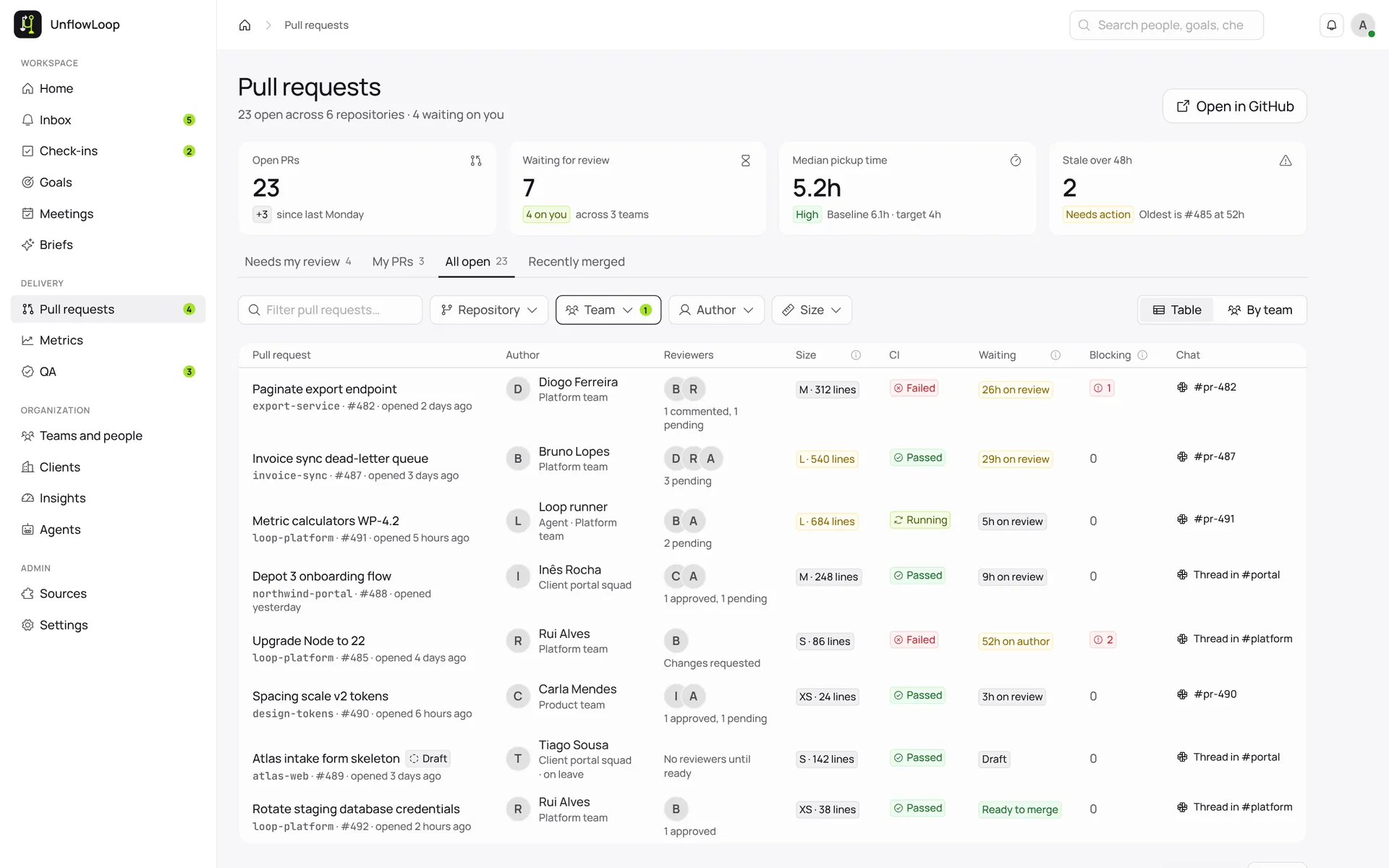
When an engineer asks a teammate to check their work (a pull request, in GitHub), Loop opens a Slack or Teams channel for it. Comments go both ways, so nobody copies anything across.
Each person gets their own inbox of reviews, questions and tests. Slack or Teams gets one short message that opens it, and nothing pings you after hours.
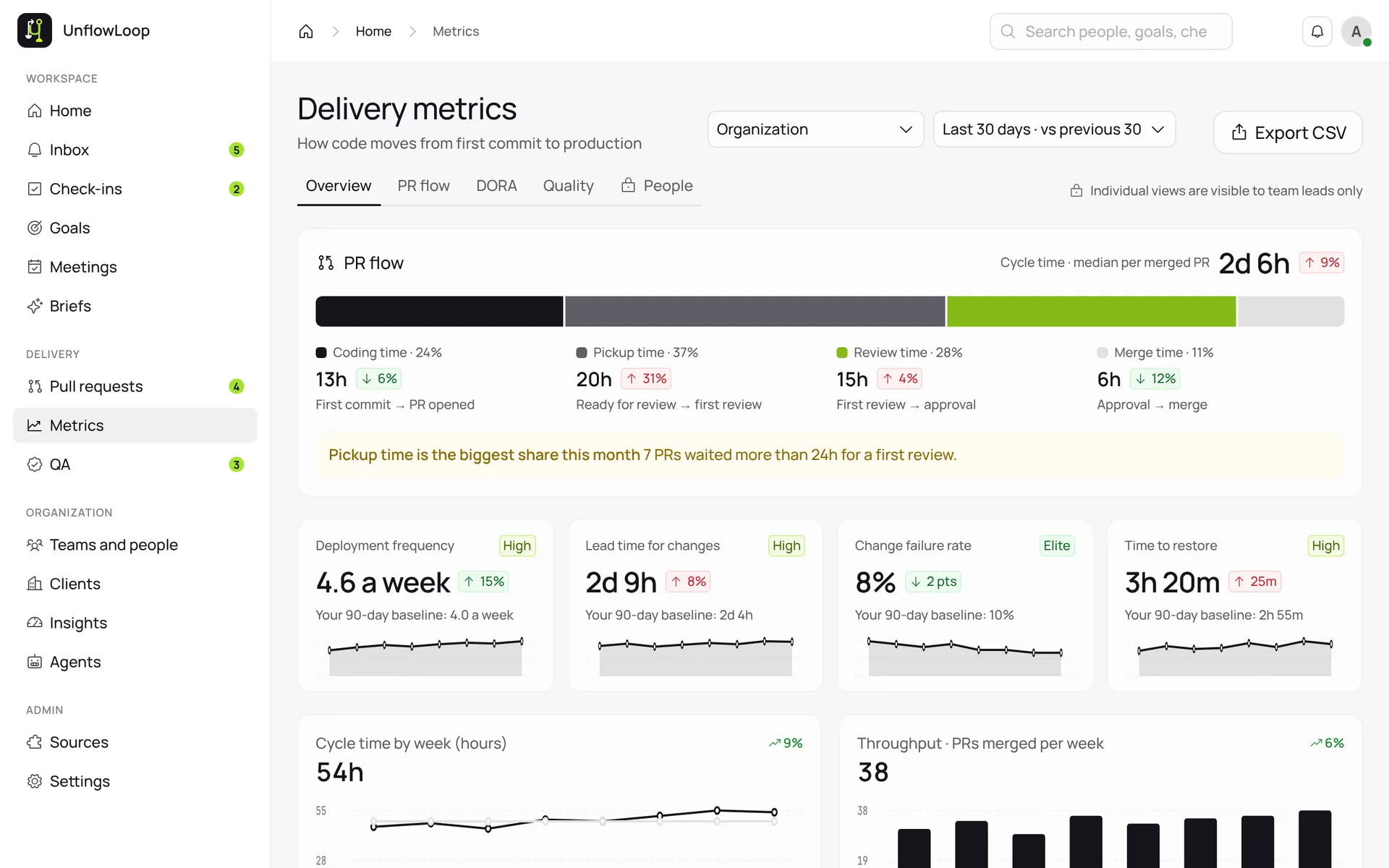
How long a change takes to go live, how often the team ships, and how often a release needs fixing. All from what happened in GitHub, next to your team’s own last 90 days.
A tester gets a checklist from the change’s description, marks each item pass or fail and reports bugs beside it. If your team asks for it, nothing goes in until testing passes.
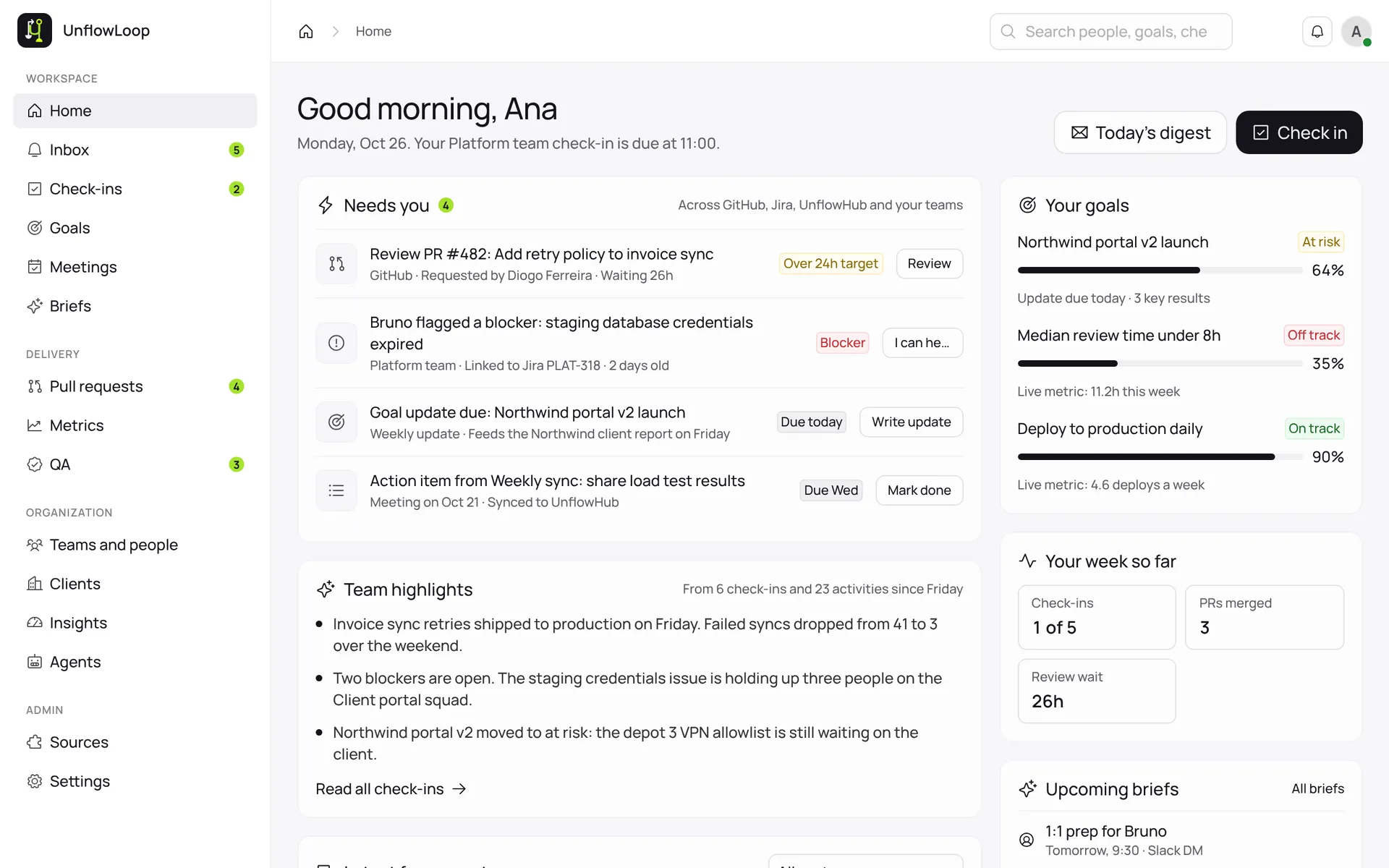
Everyone writes what they finished, what’s next and what’s in their way. The team gets a summary in its channel, and goals follow live numbers instead of guesses.
Loop drafts each client’s report from goals, finished work and check-ins. Your team reviews it, internal problems stay out, and it goes to a portal only that client can open.
Want it for your own team?
We haven’t opened it to other teams yet. If it sounds like what yours needs, tell us.
Careful with your code, by design.
Loop reads your team’s work so it can measure it. These are the lines it doesn’t cross.
Questions teams ask.
Can my team use it?
Not yet. We built it for our own engineers and haven’t opened it to other teams. If yours needs something like it, talk to us and we’ll tell you honestly where it stands.
Does it store our source code?
No. It reads a change only while it’s working with it, then throws it away. Your code never reaches its database or its logs.
Does anyone have to log anything?
No. Once a code project is switched on, the numbers come from what actually happened in GitHub, not from someone’s memory.
Does it work with Microsoft Teams?
Yes. It works in Slack and in Microsoft Teams.
Which tools does it work with?
GitHub for code. Tasks can come from GitHub, UnflowHub™, Jira, Notion, Asana, ClickUp, Monday.com or Linear.
Want software that looks this good?
Tell us how your business really runs. The team behind this will build yours to the same standard.