





A plan that knows who’s free, and checks itself every week.
Stint turns the estimate your client approved into a plan for the people who’ll do the work, around their time off and public holidays. Then a short weekly follow-up checks that the plan still holds, and the hours go straight to Jira.
What your team gets.
Everything from the first estimate to the last hour logged, in one place.
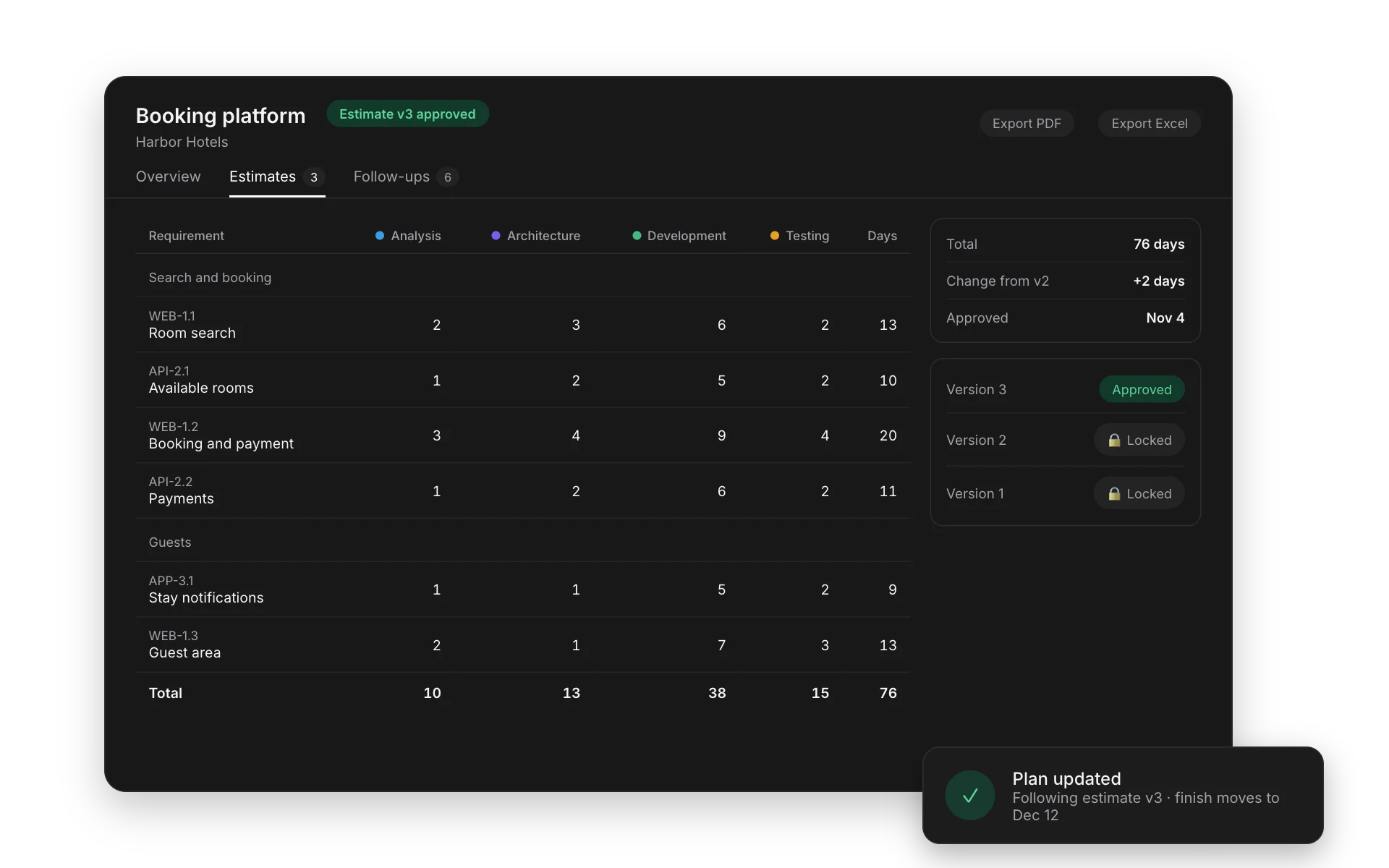
Days per role for every requirement, exported to PDF or Excel. Approve a new version, and the old one locks.
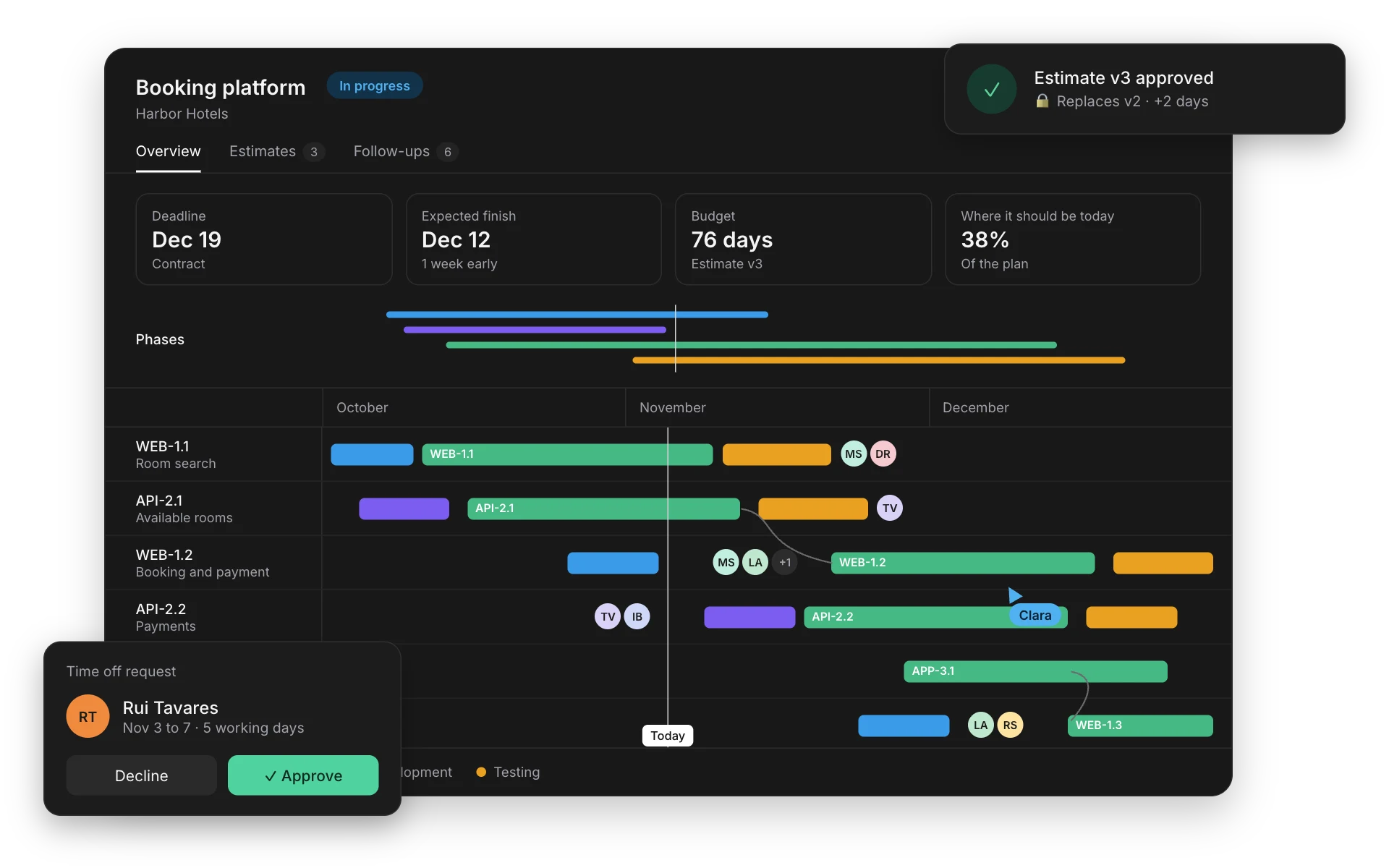
Phases, people and dependencies come straight from what was approved. Drag a bar, and everything after it moves.
People ask, team leads approve, and the plan works around public holidays and days off on its own.
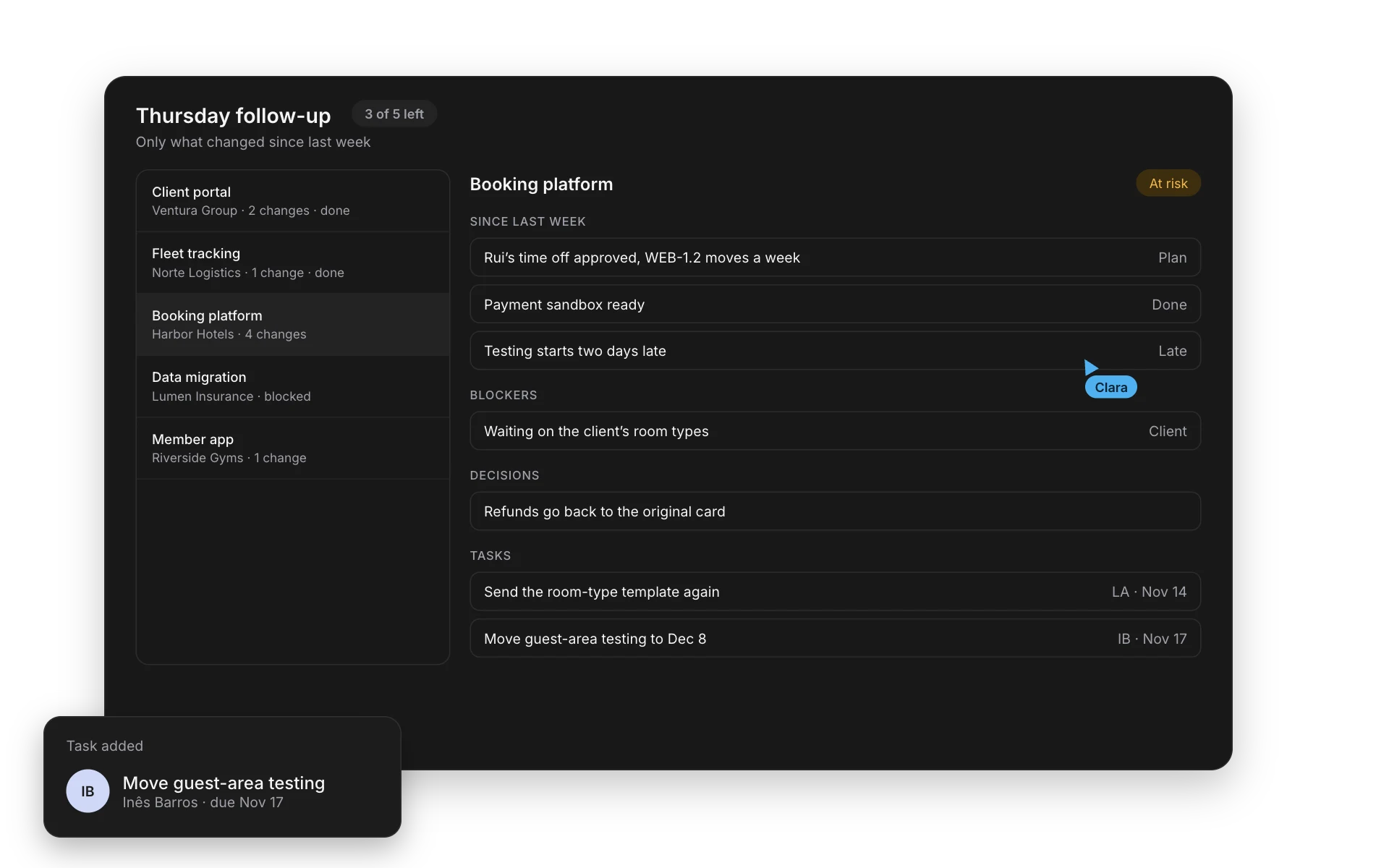
Each week, a queue of projects showing only what changed, with blockers, decisions and owners kept beside the plan.
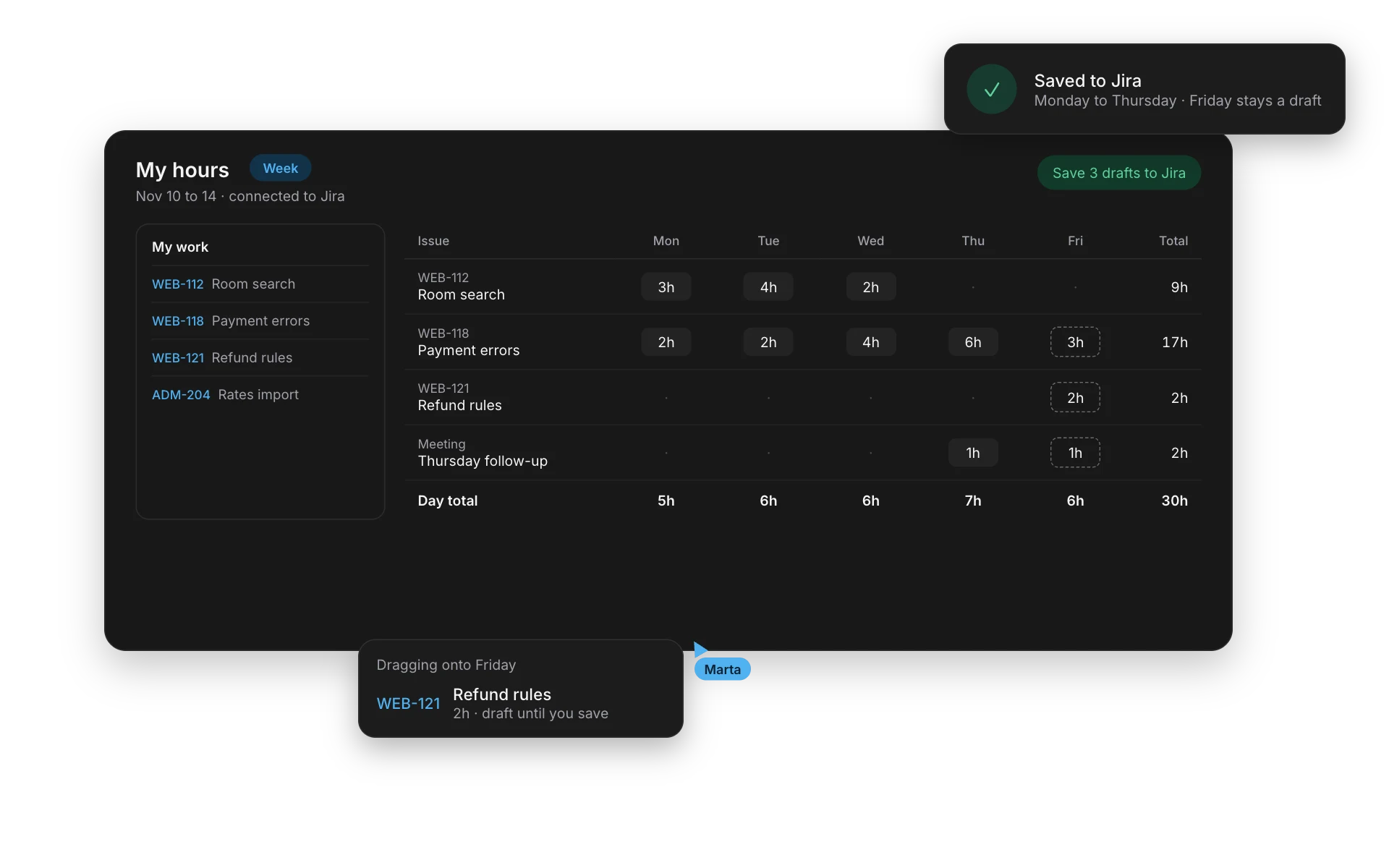
Everyone logs time by week or by month, and nothing reaches Jira until they press save.
Software, events, construction, marketing or consulting. Your roles become the estimate’s columns.
Run it in our cloud, or on your own servers.
It’s the same Stint either way.
Nothing to install. Invite your team by email, and we look after hosting, backups and updates.
Talk to us about Stint On your own serversOne Docker image and a Postgres database inside your network, for client data that can’t leave the building.
Ask about running it yourself Bring your next projectShow us an estimate you’re working on, and we’ll show you the plan it turns into.
See it in a 15-minute callBuilt for your clients’ data.
Estimates, rates and people’s time off are sensitive, so Stint treats them that way.
Questions teams ask.
Do I need UnflowHub™ to use it?
No. Stint works on its own.
Is it only for software teams?
No. Any team that estimates work and schedules people against it can use it. Events, construction, marketing and consulting teams plan the same way, and you set your own roles and project steps.
Can we run it on our own servers?
Yes. It comes as one Docker image with a Postgres database and runs inside your network. You decide where the backups go and when updates are installed.
Does it work with Jira?
Yes. Each person connects their own Jira account and logs hours by week or by month. Nothing reaches Jira until they press save.
What happens when the estimate changes?
You approve a new version and the plan follows it. The previous version is locked, so you can always see what was agreed and when.
How does it handle time off?
People ask for time off in Stint, their team lead approves it, and the balance updates. Company days off and public holidays are already in the plan, so nobody gets scheduled on a day they’re not working.
Is our data kept apart from other companies’?
Yes. Each space has its own data, access is by invitation only, and there are no tracking pixels.
What’s coming next?
Sharing clients, roles and public holidays across all of an organization’s spaces, exporting all your data in one go, a time-off calendar people can check without an account, and an assistant that turns a written request into a first draft of the plan. Tell us what your team needs. Requests from teams using Stint go first.
Want software that looks this good?
Tell us how your business really runs. The team behind this will build yours to the same standard.