





One login for everyone.
How many of your emails are someone asking for a status, a price list or a document? We build portals where your staff, partners, suppliers and clients find those answers themselves, straight from the systems you own. Your ERP and CRM stay exactly where they are. Most take 6 to 16 weeks.
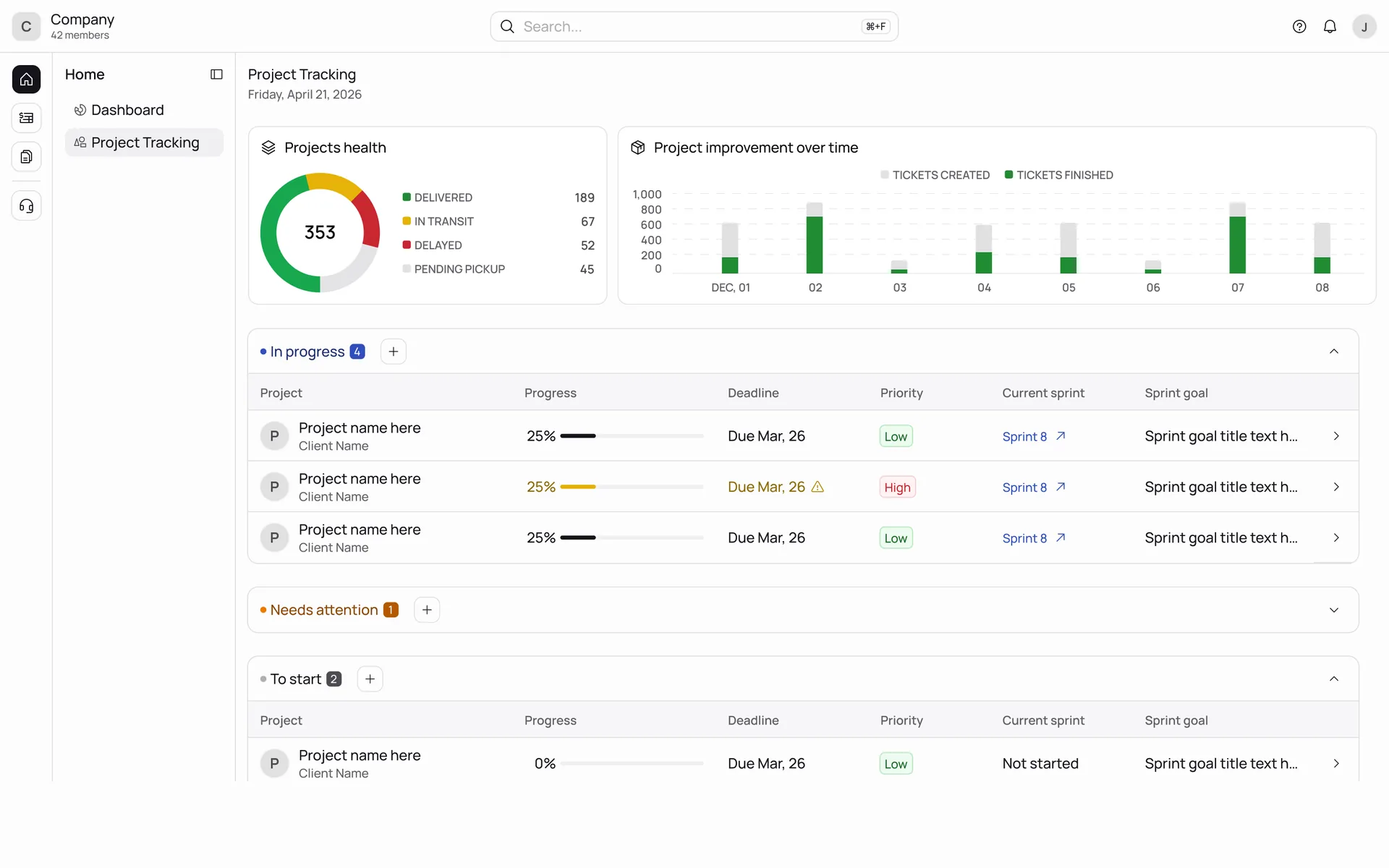
Who writes to you most? Each of these gives one group their own way in.
Requests, approvals, documents and onboarding in one place, so HR and finance stop answering the same question twenty times a week.
Works with Workday, BambooHR and your payrollEach partner sees their own prices, quotes and orders. They sell more when the answer is one login away.
Works with your ERP and CRMSuppliers check their orders, deliveries and invoices themselves, and your buyers stop chasing them by email.
Works with your ERP and document storageFor agencies and consultancies whose clients keep asking “where are we on this?” Briefs, approvals, hours and reports, all in one place.
Works with your project and time systemsSearch that finds things, news people read, and a staff directory that’s up to date, on the Google or Microsoft accounts you already have.
On Google Workspace or Microsoft 365One for your team and one for the people outside it, on the same data. Product Discovery sorts out which before anyone estimates.
See Product DiscoveryWork like this.
Logistics
A portal on top of the TMS, with roles for customers, carriers and staff.
Consulting
A custom AI-powered internal tool that changed how a client’s operations ran.
Use the vendor’s portal when it fits your audience. Build when your audience is the business.
If your ERP’s own portal will do, we’ll tell you, and save you the build.
Choose it when your ERP or CRM ships a portal and your partners or employees only need the standard screens. One system, one bill.
Watch for: Per-user licenses for external people, the vendor’s branding, and the field it can’t show. Check the price for 500 supplier logins before deciding.
Choose it when an internal document library or a simple form for a small team. Nobody external, no integration beyond Microsoft 365.
Watch for: Per-seat pricing as it spreads, the rule it can’t express, and no way out when you outgrow it. We don’t build on these.
Choose it when two or more systems need to appear as one. External people need access. The process differs by partner tier or region. 50 or more people depend on it.
What you get: A price agreed before we start, a named PM, a demo every two to three weeks, and code in your repositories that works no matter what the ERP vendor does next.
Your own data on screen in week two. Five partners using it by week nine.
An example 12-week build, about the size of a partner portal. If your ERP has no API, we’ll find out in Product Discovery, before the plan’s set.
- Week 0 Product Discovery
Audiences listed, systems mapped, every screen tied to the field it reads. You get a price we’ll hold and a sprint plan.
- Weeks 1 to 2 · Sprint 1 Foundations
We set up the code, sign-in with your Microsoft or Google accounts, and the first connection to your ERP. At the first demo, you log in and see actual orders.
- Weeks 3 to 8 · Sprints 2 to 4 The core screens
The reason the portal exists, end to end: the price list, the order status, the approval. Then the second system and the write-back. Your process owner tests each sprint.
- Weeks 9 to 10 · Sprint 5 Pilot group
Five partners, or one department, on the portal alongside the old route. Documents, notifications and admin screens land while they use it.
- Weeks 11 to 12 · Sprint 6 Rollout and handover
Pilot feedback fixed, the remaining groups invited in waves, the old route closed. Security review with IT, every credential handed over.
Five parts, and your ERP stays in charge.
We aim to put your real data on a screen in sprint one, if your ERP access is ready.
Forwarding this to your IT lead? Send them the one-page security summary
React, TypeScript, branded per audience
Frontend
What each group sees. UnflowUI so sprint one has real tables, forms and documents. Branded to you for employees, to each partner or client where that matters.
The translation layer, rules, caching
API
Where the rule “a reseller sees their price list and nobody else’s” lives. Translates between how your ERP stores things and how people need to see them. Caches what is slow.
Connectors: REST, OData, SOAP, SFTP
Systems of record
Your existing systems stay where they are and stay authoritative. We read through to them where they’re fast enough and sync a copy where they aren’t. Writes go back with a full audit trail.
SSO for staff, invitations for externals, hierarchy
Identity
Employees sign in with Microsoft or Google. Partners, suppliers and clients are invited and see only their own organization. Roles map to your org chart and account hierarchy.
Your accounts, our access removed at the end
Hosting and data
Frontend on Vercel, API on AWS. Postgres holds what the ERP doesn’t: comments, approvals, uploaded documents, portal preferences. Both accounts in your name.
What we’d turn down.
A studio that builds everything isn’t telling you the truth about something.
- SharePoint customization If the need is a document library for an internal team, SharePoint is already paid for and a specialist will configure it well. We build portals that go beyond it.
- A portal that replaces the ERP If the ask is really a new operations system, that’s a web application, and we’ll scope it as one, not disguise it as a portal.
- Public marketing sites Your website agency does this better and cheaper. The portal can sit behind a login on the same domain.
Questions buyers ask first.
Will the portal slow down our ERP?
No. Reads are cached or synced on a schedule agreed with your IT team, so 500 partners refreshing a page never hits the ERP 500 times. Writes are queued and confirmed.
Our ERP has no API. Can you still connect?
Usually. Database views, scheduled exports to SFTP, or the vendor’s integration add-on. Product Discovery is where we find out which, and price it.
Do external users need licenses?
Not from us, and not from your ERP if the portal is the only thing they touch. UnflowID has no per-seat fee. This is often the whole business case.
Can staff use their Microsoft or Google login?
Yes. UnflowID sits on top of it. Staff sign in as they do today; partners and suppliers are invited by email and manage their own colleagues.
Who manages partner and supplier accounts?
Each organization gets an administrator who invites and removes their own people. Your team sees and can override everything. Access ends automatically when a contract ends in the ERP, if you want it to.
What about data the ERP doesn’t hold?
Comments, approvals, uploaded documents and preferences live in the portal’s own database, in your account, with the same backups and audit trail.